
Less work per client.
More capacity for your firm.
Reduce the time spent collecting documents, checking figures and chasing replies.


Why the monthly
close takes so long
Information is scattered
Documents live across Slack, Chatwork, Drive and email.
Confirmation by hand
Receipts and review requests chased
one by one, so things slip.
Knowledge in one head
Client rules stay with the person in
charge; handovers are hard.
A MONTH IN ARCHIMEDES®
One workflow, from inbox to sign-off
Pick a step to see it. Every step keeps the original document, its source, status and the person responsible.
01 COLLECT
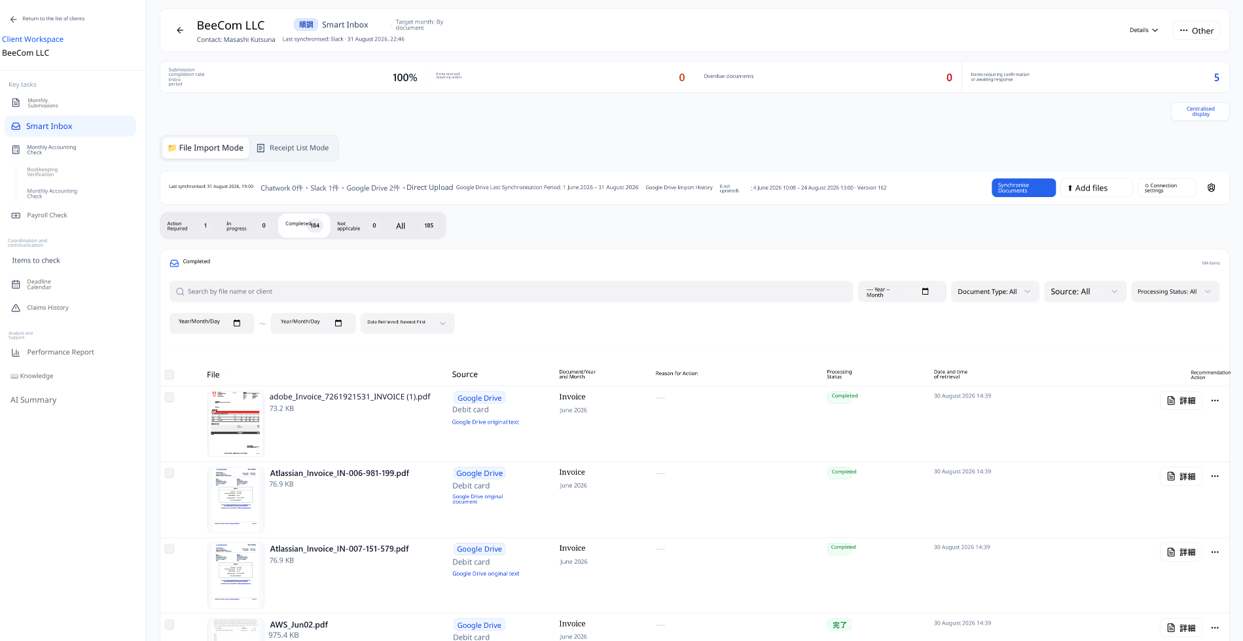
Smart inbox collects every document
Slack, Chatwork, Google Drive and direct uploads, with a sync period for bulk imports. OCR sorts accounting and payroll documents, catches duplicates and keeps versions. Anything unclear waits for a person.

02 ORGANIZE
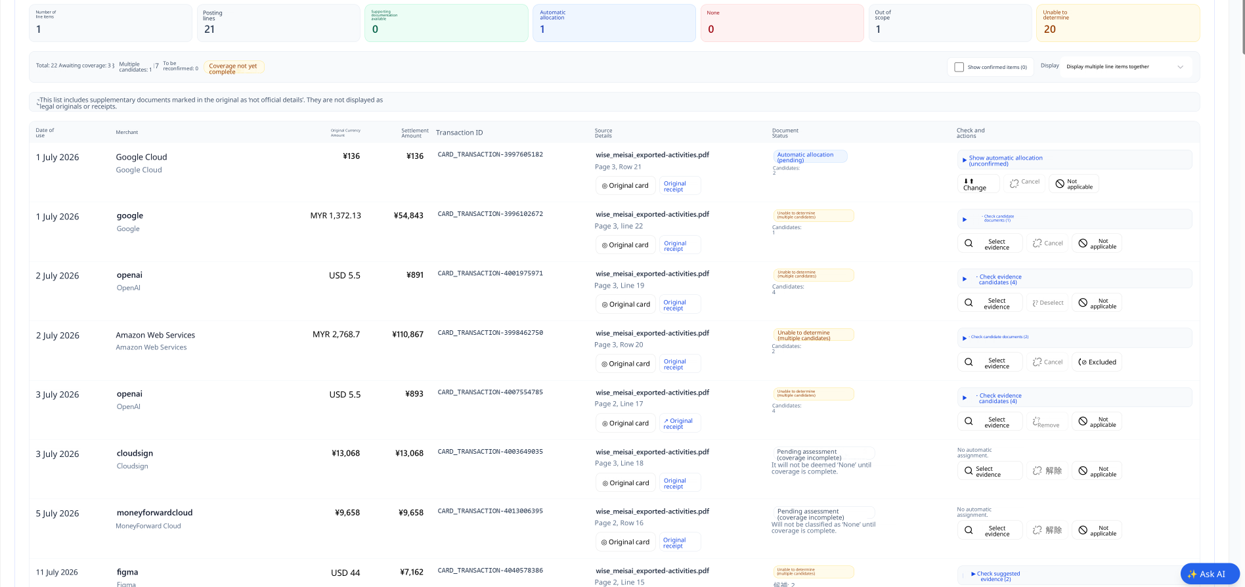
From OCR to a suggested journal entry
Extracted dates, amounts and tax classes sit next to the original, so staff verify instead of accepting. The basis for each suggested entry, the processing history and versions stay attached.
03 ACCOUNTING CHECKS
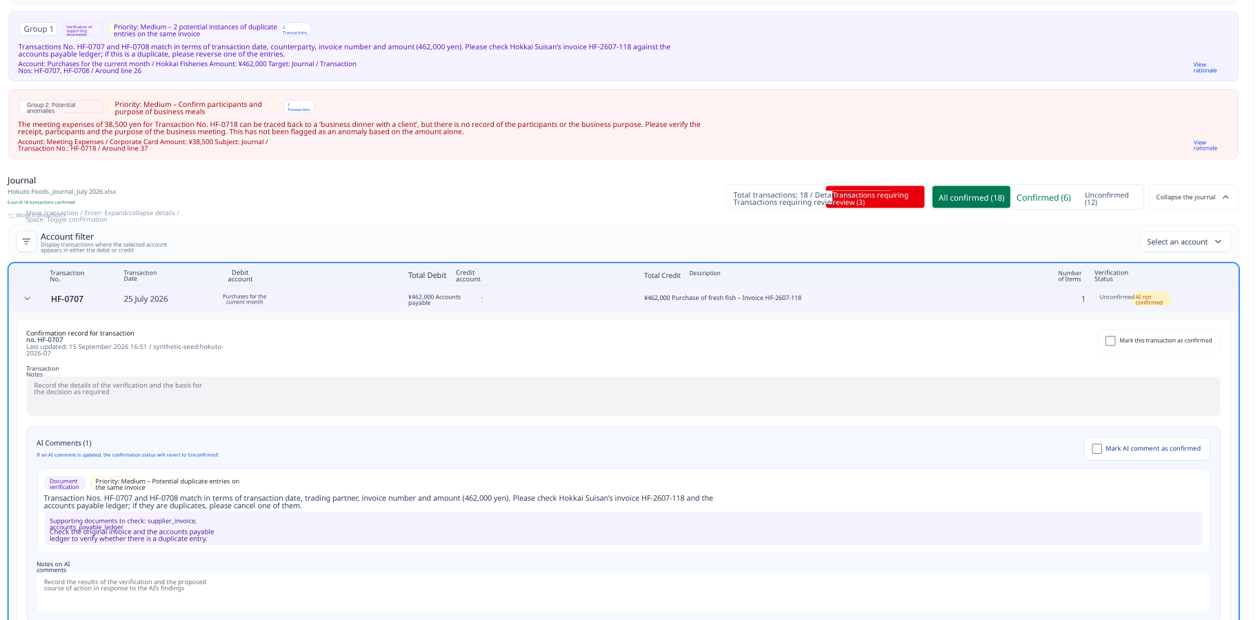
P&L, balance sheet and journal, cross-checked
Structure, balances, period, duplicates, movements and tax classes are checked with Global, Region and Client rules. Rule results and AI findings are shown separately, so nobody mistakes a hunch for a fact.

04 PAYROLL CHECKS
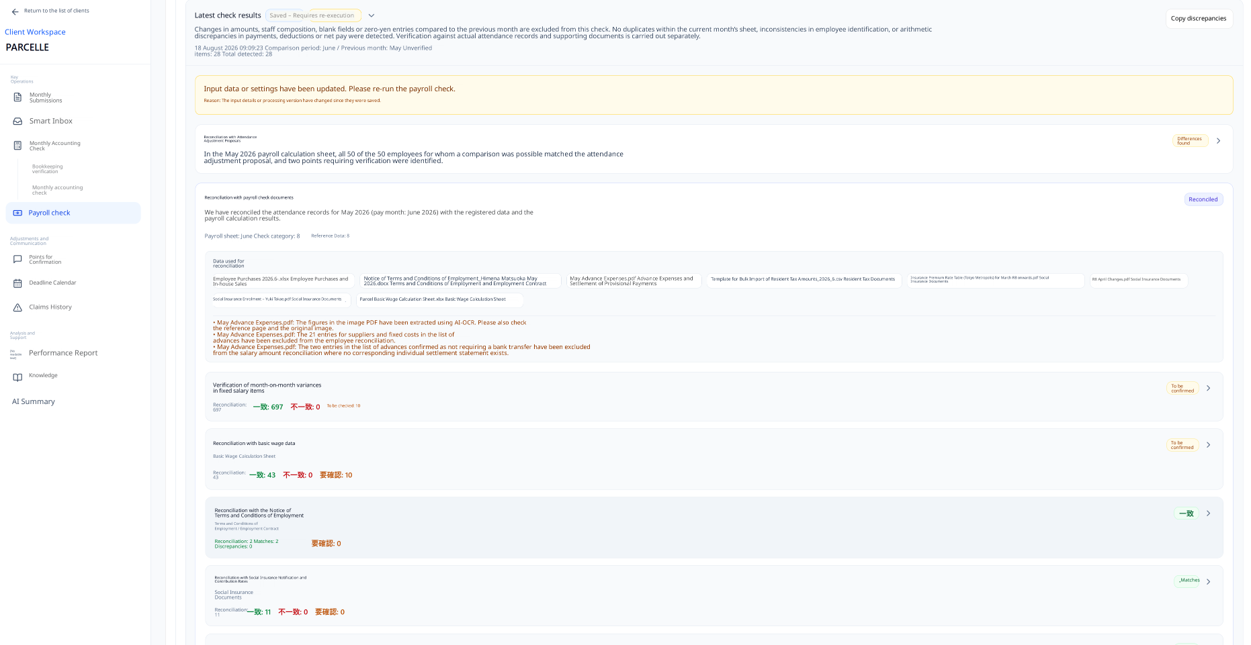
Payroll checked against attendance
See salary changes by employee and item versus last month, and match them with attendance adjustments. Each client’s payroll Excel layout is analysed once and reused; settings carry over month to month.

05 CONFIRM
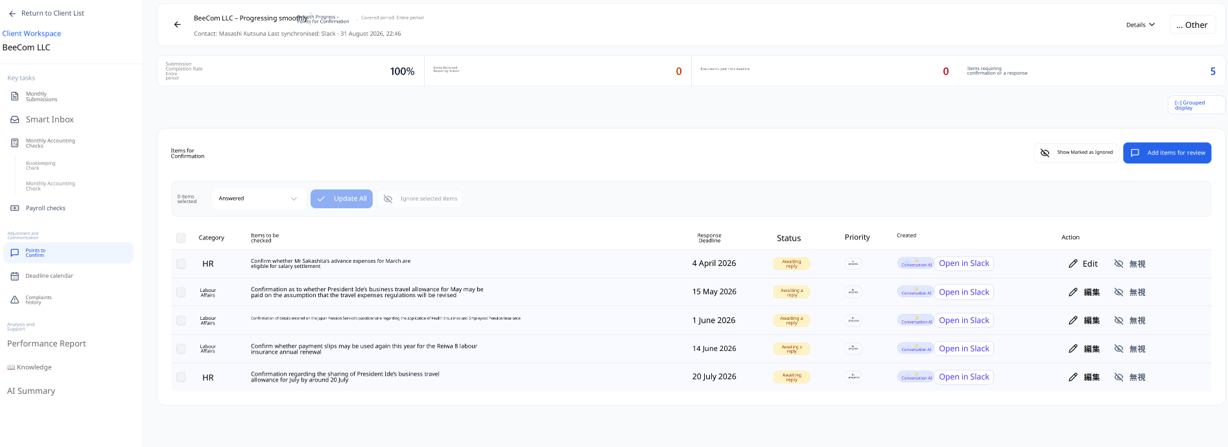
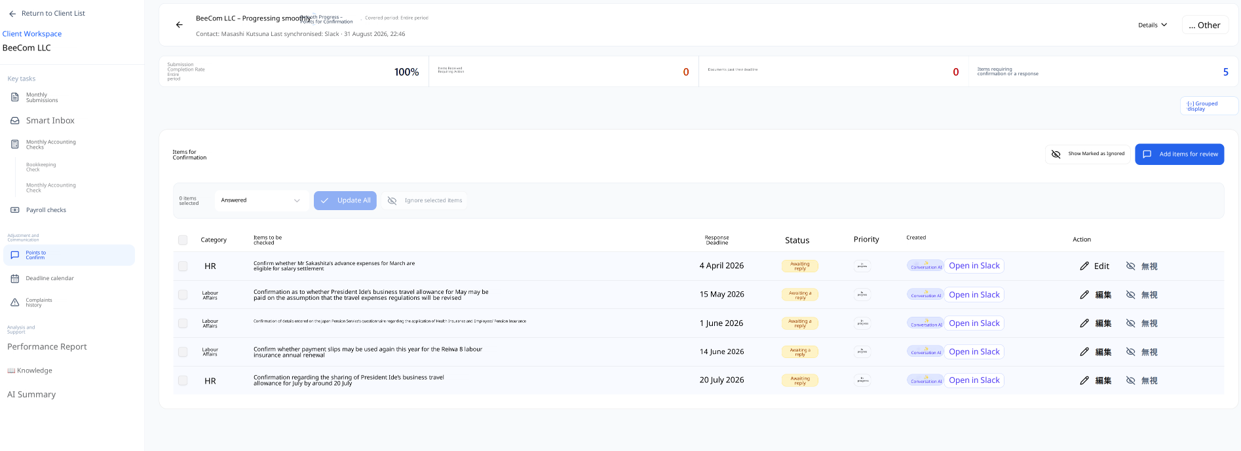
Questions in chat become tracked items
AI picks up requests, questions and open tasks from Slack and Chatwork, with a link to the original message. Set the owner, priority and deadline; AI drafts reminders for missing documents that you edit and send.
06 APPROVE
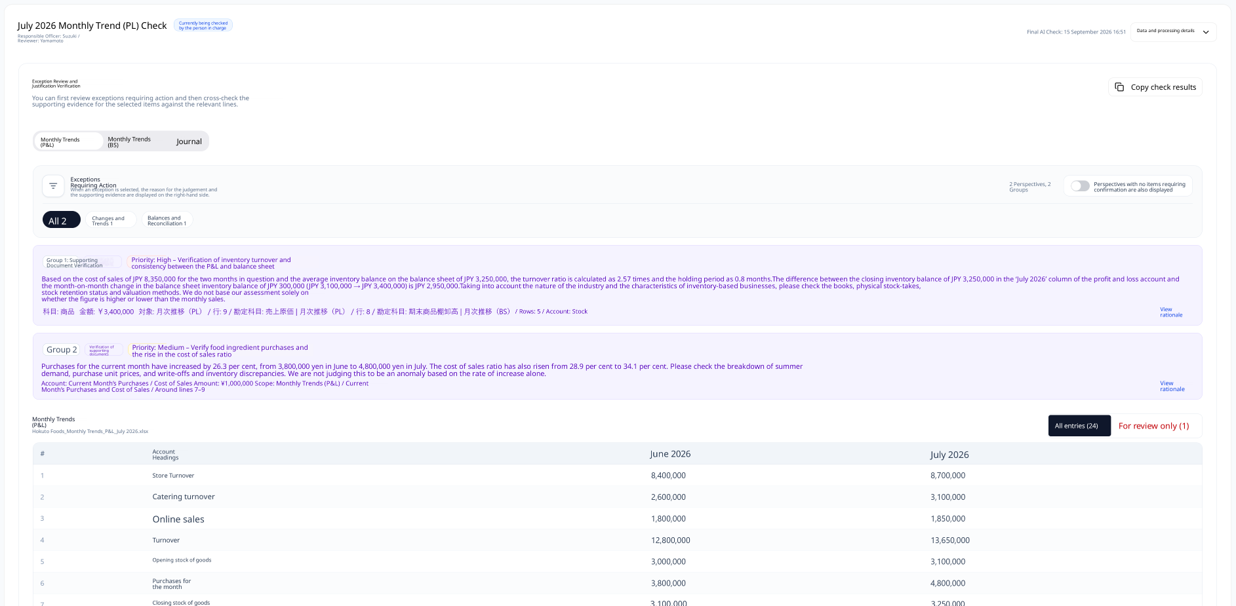
Review, approve or reject – on record
Everything that needs action across clients lands on one screen. Comments, rationale and confirmation status are recorded from the assignee’s check through to approval or rejection.
ONE SYSTEM, TWO VIEWS
What managers see, what staff see
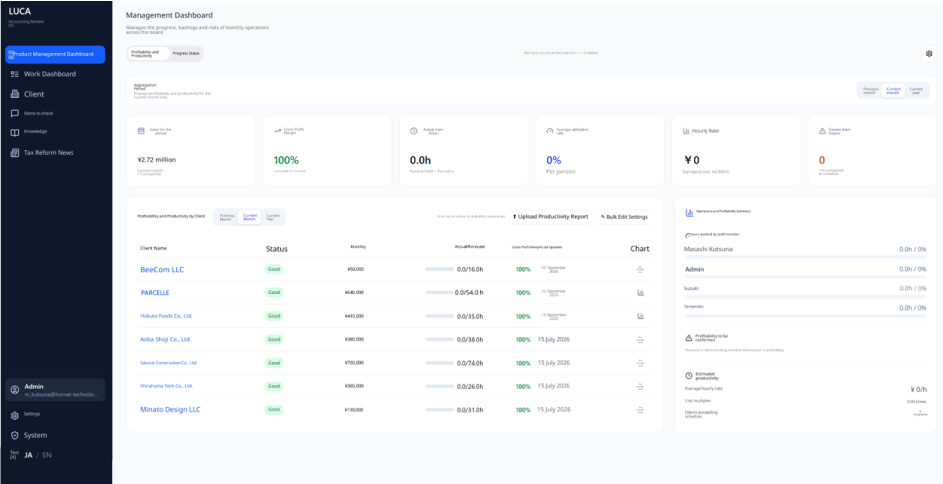
Owners & managers
Compare profitability and productivity by client, narrow down clients past deadline or needing attention, and follow progress by account manager.
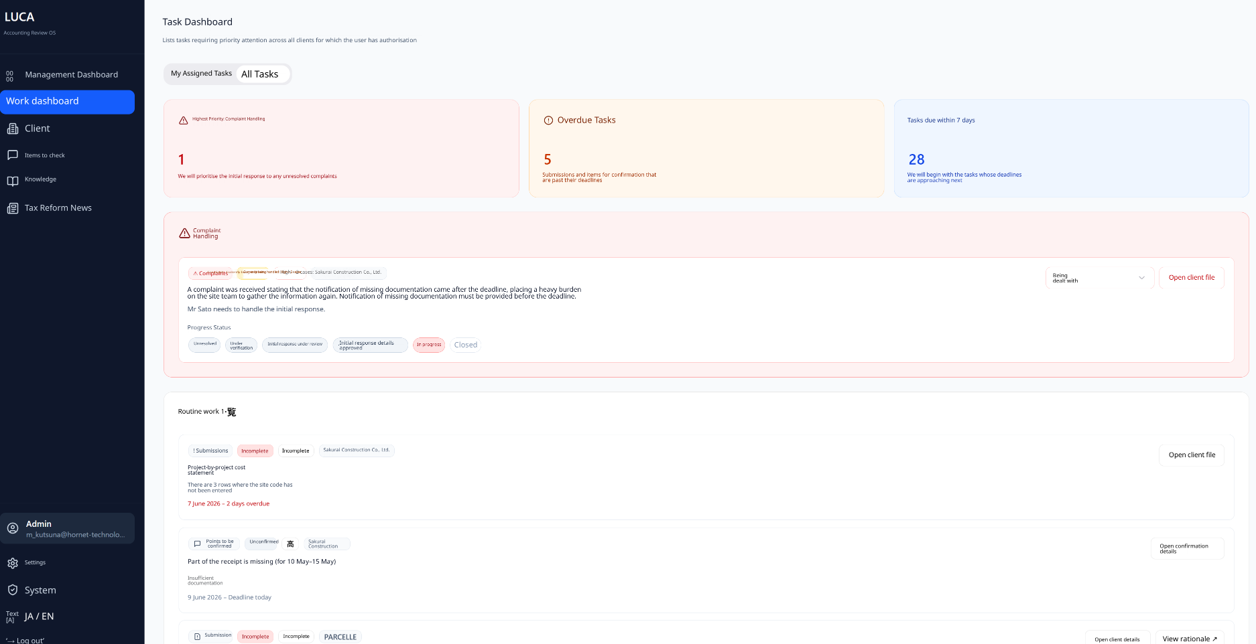
Accountants & bookkeepers
Start with complaints, then anything overdue or due within seven days, and jump straight into the client or the check.
AI PREPARES · PEOPLE DECIDE
Answers you can trace, or no answer at all
Each client has its own knowledge AI, built from its Slack and Chatwork history, notes and files. Answers cite the channel, speaker, date and original message. With no evidence, it says it cannot verify.
-
Rule checks separate from AI findings
-
Final approval always by a person
-
Original, source and history kept
-
Owner / Editor / Viewer per client